Running Claude Code on a Local Model: How Ollama's New Compatibility Endpoint Works
Claude Code can run against a model on your own machine, no paid key involved. Current Ollama does it with ollama launch claude — what the endpoint actually covers, which models to try first, and why the context window is the setting that matters.

The short answer
Yes — Claude Code (and any other tool that speaks the Anthropic Messages API) can run against a model served on your own machine, with no paid key involved. On current Ollama (v0.15+) the shortest official route is one command:
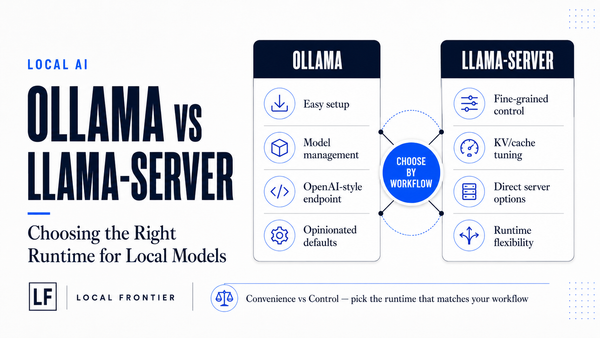
ollama launch claudeThat handles model selection and Claude Code configuration for you — Ollama’s docs describe ollama launch as using local models with coding agents “without separate configuration,” added in v0.15.0 [vendor release notes]. Underneath it, Ollama speaks the Anthropic Messages API at localhost:11434 (that compatibility surface has existed since v0.14.0), which is also available as a manual setup if you’d rather wire the environment yourself [vendor documentation]. In practice it gives you:
- Claude Code pointed at a local model in one command via
ollama launch claude, or the two-env-var manual equivalent (section 2); - The agentic features that make it useful for coding — tool calls, multi-turn conversation, streaming; and if the model itself supports vision or thinking-mode outputs, those are exercised through the same endpoint [vendor documentation]. (Capability depends on the model Ollama serves under that name, not on this compatibility layer alone.)
The one caveat: give it room — Ollama’s January announcement set the bar at 32K tokens of context length [historical guidance], and its current Claude Code documentation says to run local coding models with 64k or higher. Agentic sessions accumulate conversation, tool results and file reads quickly (details in the context-length section below).
How the compatibility layer works (manual route)
If you skip ollama launch claude, the underlying setup is exposed directly: Ollama implements an Anthropic Messages API surface at http://localhost:11434. Claude Code doesn’t need to know that what’s behind it is a local model served by Ollama or a cloud model Ollama proxies — it just points its base URL there. As manual setup / the underlying Anthropic-compatible route, per Ollama’s documentation:
export ANTHROPIC_AUTH_TOKEN=ollama
export ANTHROPIC_BASE_URL=http://localhost:11434

claude --model gpt-oss:20b
A few things worth knowing from the official docs [vendor documentation]:
- The auth token is a formality. Ollama’s examples set it to
ollamaand note the value is “required but ignored.” Any non-empty string works for local use; Anthropic itself isn’t involved when you point at your own machine, so no Anthropic API key or account is required to run a local model this way. (This applies only whileANTHROPIC_BASE_URLpoints at Ollama.) - It covers what Claude Code needs, not every Anthropic API surface. Ollama implements the core Messages-API features the agent relies on — multi-turn messages, streaming, system prompts, tool / function calling [vendor documentation]. It is not a complete implementation of every Anthropic API feature (a handful of endpoints and options have no counterpart here); if your own SDK code depends on something more exotic than message exchange and tools, plan to keep that part pointed at the original provider. The docs also list extended thinking and vision (image input) as supported through this endpoint when the served model provides them [vendor documentation] — whether a given local model actually emits those depends on that model’s own capabilities, so we treat “the endpoint supports it” and “this specific model does it well” as separate questions.
- Existing Anthropic-SDK applications route the same way. Point
base_urlat Ollama, keep the API key placeholder, call the usual methods. If you already have scripts written against the Anthropic client, this is a configuration change rather than a rewrite ([vendor documentation] shows both Python and JavaScript examples).
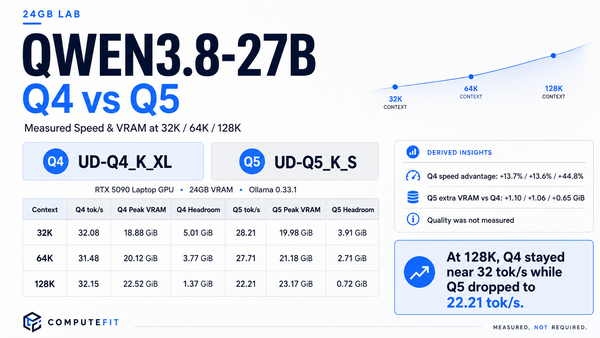
This endpoint is only as good as the model behind it: nothing in the compatibility layer adds reasoning quality. The docs’ own picks for coding are gpt-oss:20b and qwen3-coder on local machines [vendor documentation]. You can use whatever you have pulled — including Qwen3.8-27B, as we’ll get to in the context-length section.
Context length: the setting that actually matters for agents
Ollama’s one explicit number in this whole setup is a context recommendation, not a model size figure: for local models with Claude Code, current Ollama documentation says to “set the context length to 64k or higher” — worded as “choose a model and set a 64K+ context window” [current vendor docs]. The January 2026 announcement that introduced this feature had recommended at least 32K tokens for coding use cases through the endpoint [historical vendor guidance, January scope] — treat 64k as the day-one number today.
Why agentic sessions need room (our reading of general agent behavior, flagged as inference rather than vendor claim): an agentic session is not one prompt and one answer. Every tool call returns content that enters the conversation — file contents, command output, your own follow-ups — and the model re-encodes all of it on every turn. Sessions routinely accumulate far more context than a single coding task sounds like, which is why small budgets get exhausted in minutes while larger windows hold up across longer working sessions.
Two practical notes:
- Check the number for your loaded session, not just the number printed on a model’s shelf page. How much context you can actually use at once depends on how Ollama loads the model and what else is resident in memory — we worked through exactly this kind of surface-versus-shelf mismatch in our Ollama settings guide for Qwen3.8-27B, where different endpoints reported two different context figures at the same time [this article links; verification from that post].
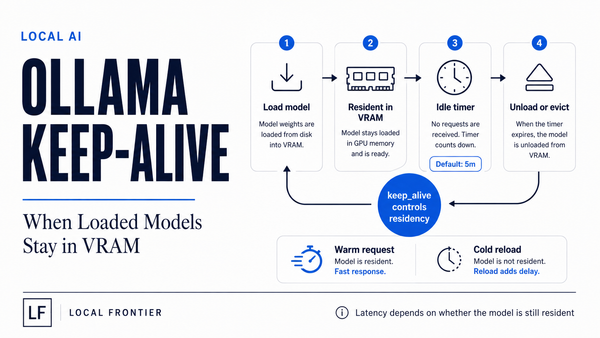
- Cloud models Ollama proxies are a separate animal: they “always run at their full context length” because the compute happens remotely [vendor documentation]. Local models have no such guarantee — yours is bounded by what your machine can load.
If you’re weighing which local model to hand to an agent, size-and-fit questions (weights and quantization) are a different problem from this one: see the Qwen3.8-27B quant fit guide for exact file sizes per card tier, and the Muse Glimmer tag & file size mapping for that model’s ladder.
Which local models are worth pointing an agent at
Ollama’s documentation names two starting points for coding specifically: gpt-oss:20b and qwen3-coder, both local [vendor documentation]. That list is where to start if you want a shortlist from the runtime vendor rather than our own opinions.
Beyond that, the rule is simpler than it sounds: this endpoint works with any model Ollama can serve (it’s the documented behavior for Claude Code “with any Ollama model”) [vendor documentation] — so your real constraint is your hardware and the context-length floor above, not a compatibility wall between agents and models.
- Coder-tuned open models first. An agent loop hammers a model with tool-call formatting pressure. Models whose training emphasized function-calling reliability generally hold up better under agentic use than general chat variants. If you already have Qwen3.8-27B in your stable, it’s a reasonable candidate to try — just confirm the quant you pulled actually fits as described in our quant-size guide, since download size and working-session fit are different things [that verification: field report post]. In short, try a coder-tuned candidate, keep your proven general model as fallback; we have not measured agentic quality per se beyond what our coding sessions in other posts showed.
- Vision and thinking features: if the endpoint does exercise image input or extended thinking for your specific model [vendor documentation on feature support], some agent workflows lean on that — e.g. screenshots of broken UIs as inputs. But treat this as per-model: our Qwen vision costing post measured a specific, small image-token overhead and was explicit about where its own testing stopped [measurement from that post].
- Skip what you already know is too large for your card. We ran the math on Qwen3.8-Max-class checkpoints in our size-math article: public GGUF quantizations of it start around half a terabyte at roughly 1-bit class, with full precision in the multi-terabyte range — not an agent backend for consumer hardware [verified weight totals from that post].
Practical recommendation
If you want to try a local model inside a coding agent, the whole setup is:
- Quick setup — use
ollama launch claude. Needs Ollama v0.15 or newer (the launcher arrived in v0.15.0); it handles model selection and Claude Code configuration for you [vendor release notes]. Add your chosen tag, e.g.ollama launch claude --model gpt-oss:20b. - Pick a model you can comfortably load with room for 64k+ tokens of live context. If your card is in the ~16–24 GB tier, start from our per-card quant guidance (“which Qwen3.8-27B quant fits”; “Muse Glimmer tag sizes”) rather than assuming a 4-bit model’s download size is its session cost.
- Manual setup (the underlying Anthropic-compatible route): if you prefer to wire it yourself — or are on Ollama v0.14.0+, which has this endpoint without the launcher — set the two environment variables (
ANTHROPIC_AUTH_TOKEN,ANTHROPIC_BASE_URL=http://localhost:11434) in the shell where you run your agent, then invoke Claude Code directly with your model flag. - Test with a real job: run a small task with tool calls; check that calls resolve and streaming behaves as expected before trusting it with larger work.
- Treat this as an offline option, not replacement for hosted models: agentic turns are compute-heavy. If you’re on the same box doing other work — or just want a bigger model without waiting locally — Ollama can also route
:cloud-tagged named cloud endpoints through the same configuration, and those run at full context [vendor documentation]. Keep your hosted setup as fallback for long sessions if it feels slow.
That’s the whole feature. No new client infrastructure beyond Claude Code itself (Anthropic’s own CLI), no proxy container — on current Ollama it’s one launch command plus whatever model you already serve locally.